Tavus - Conversational Video Interface & Developer Portal
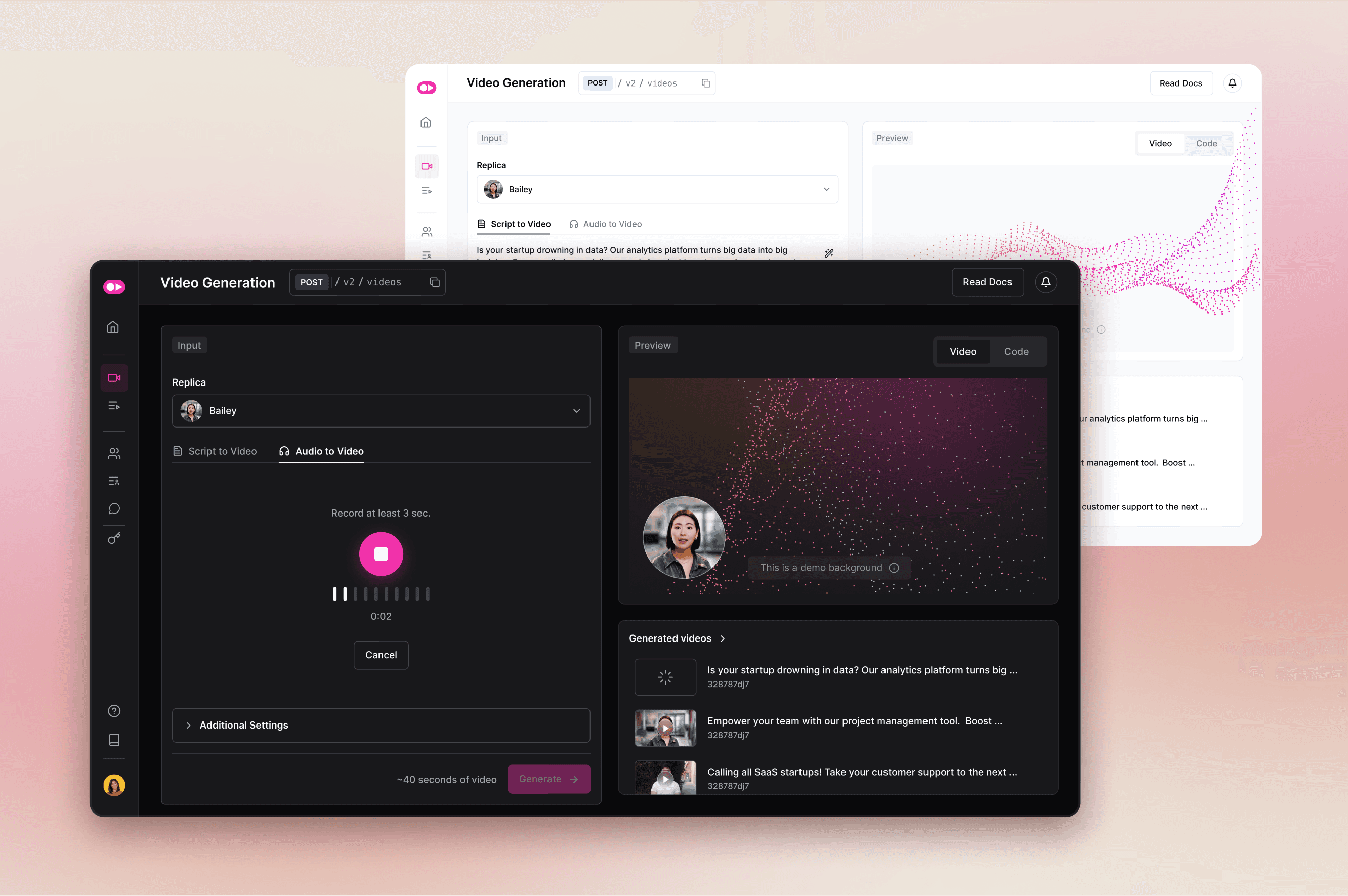
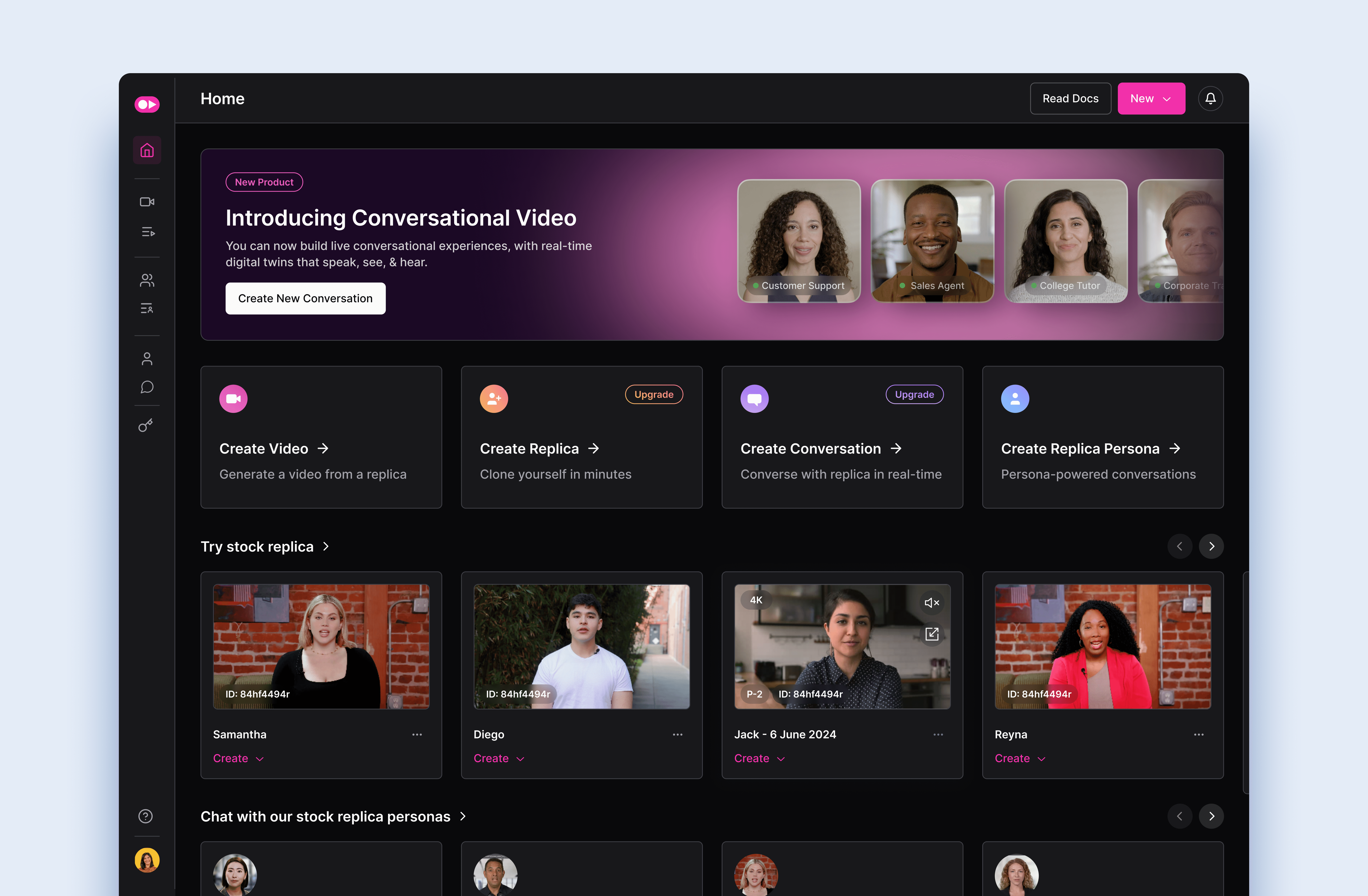
Tavus Developer Platform enables developers to build and integrate AI-generated video experiences via API. When I joined the project, there was no dedicated developer-facing product, so I led the design of the Developer Portal from scratch to provide a unified environment for testing and integrating video generation capabilities.
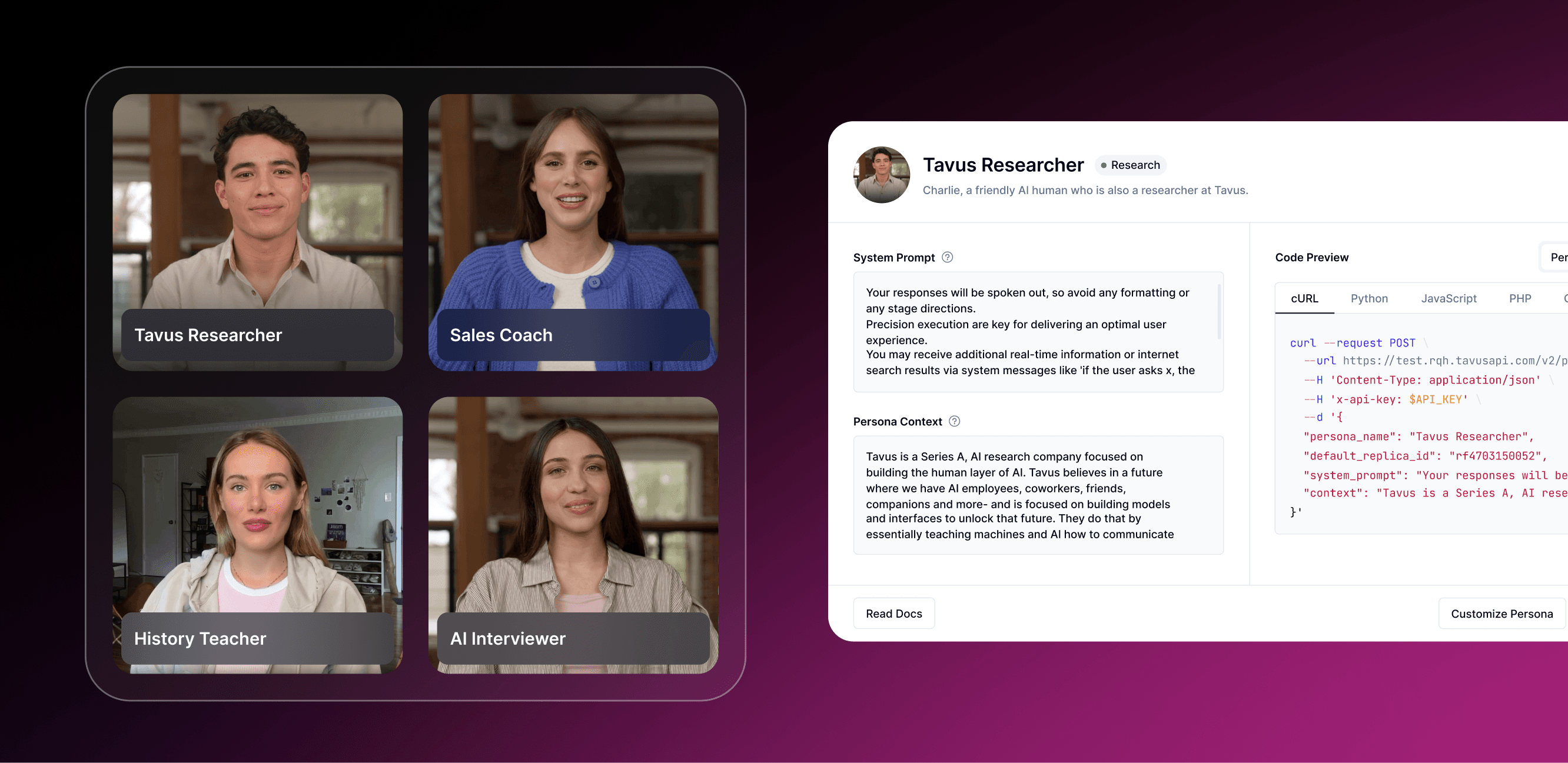
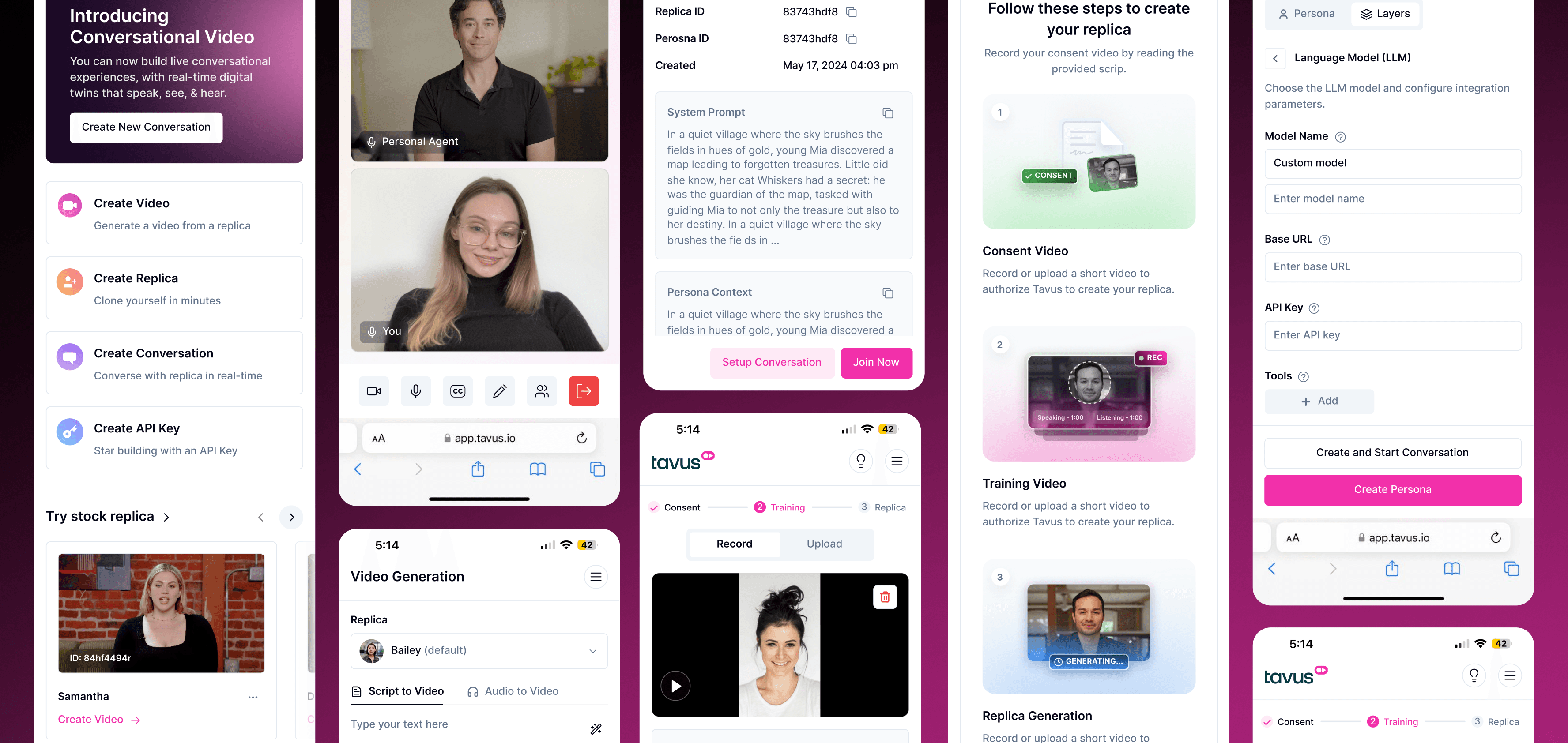
During development, Tavus introduced real-time conversational video technology, enabling live interactions with AI-powered replicas (avatars). I supported this transition by designing interfaces for persona creation, lip-sync configuration, and real-time video conversations directly within the platform, contributing to increased user adoption and enterprise deal conversion.
01
Used a design thinking approach from research to delivery. Each stage included iterative feedback, testing, and refinement as the platform evolved from asynchronous generation workflows toward real-time conversational interactions.

02
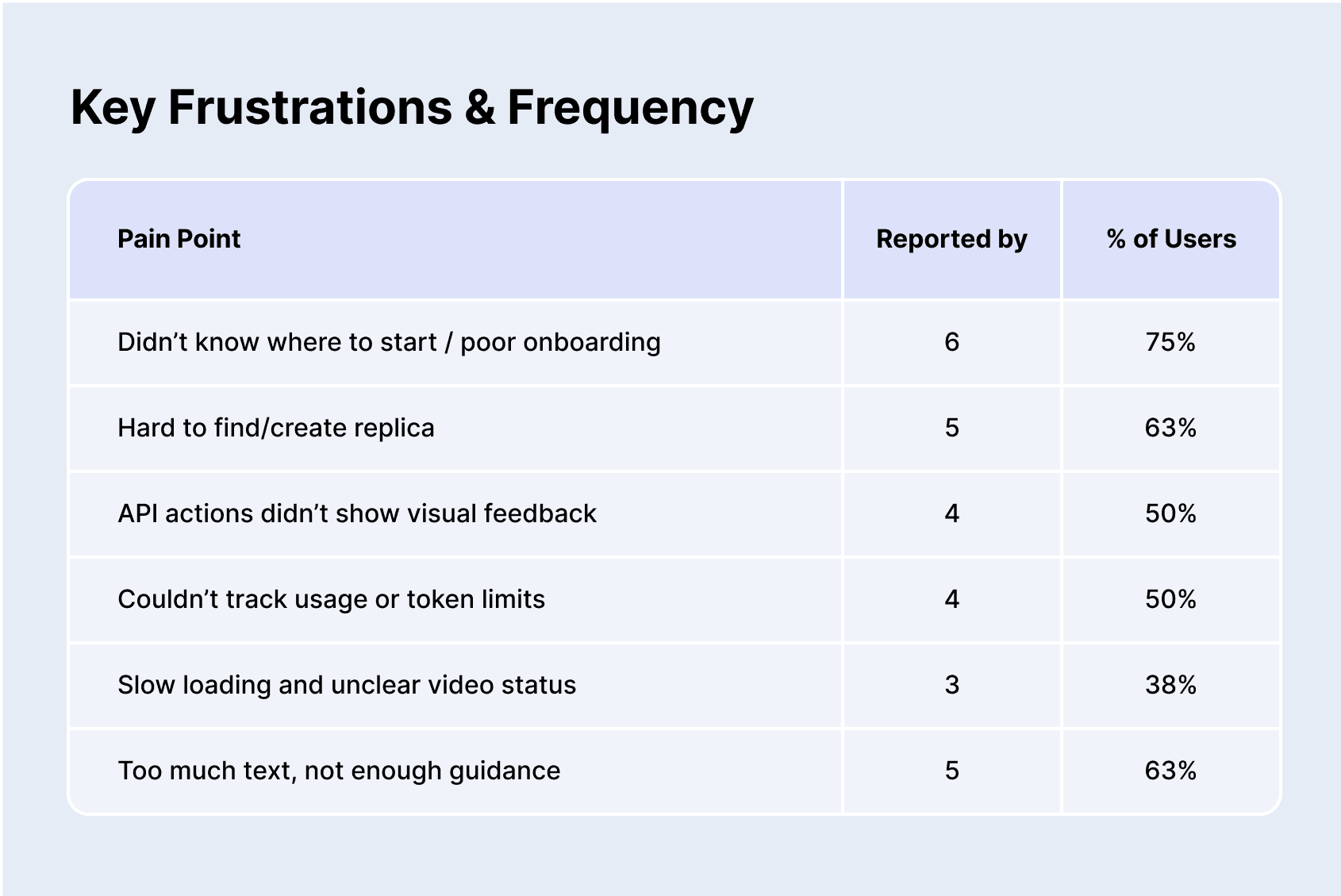
The initial developer experience lacked a unified interface for testing API capabilities. As conversational video features were introduced, developers struggled to understand how to configure replicas and prototype live interactions within real-time environments.
Main issues:
No centralized developer interface
Poor onboarding and long load times
Hidden key actions like “Create Replica”
No error feedback or analytics
No support for real-time conversational testing
03
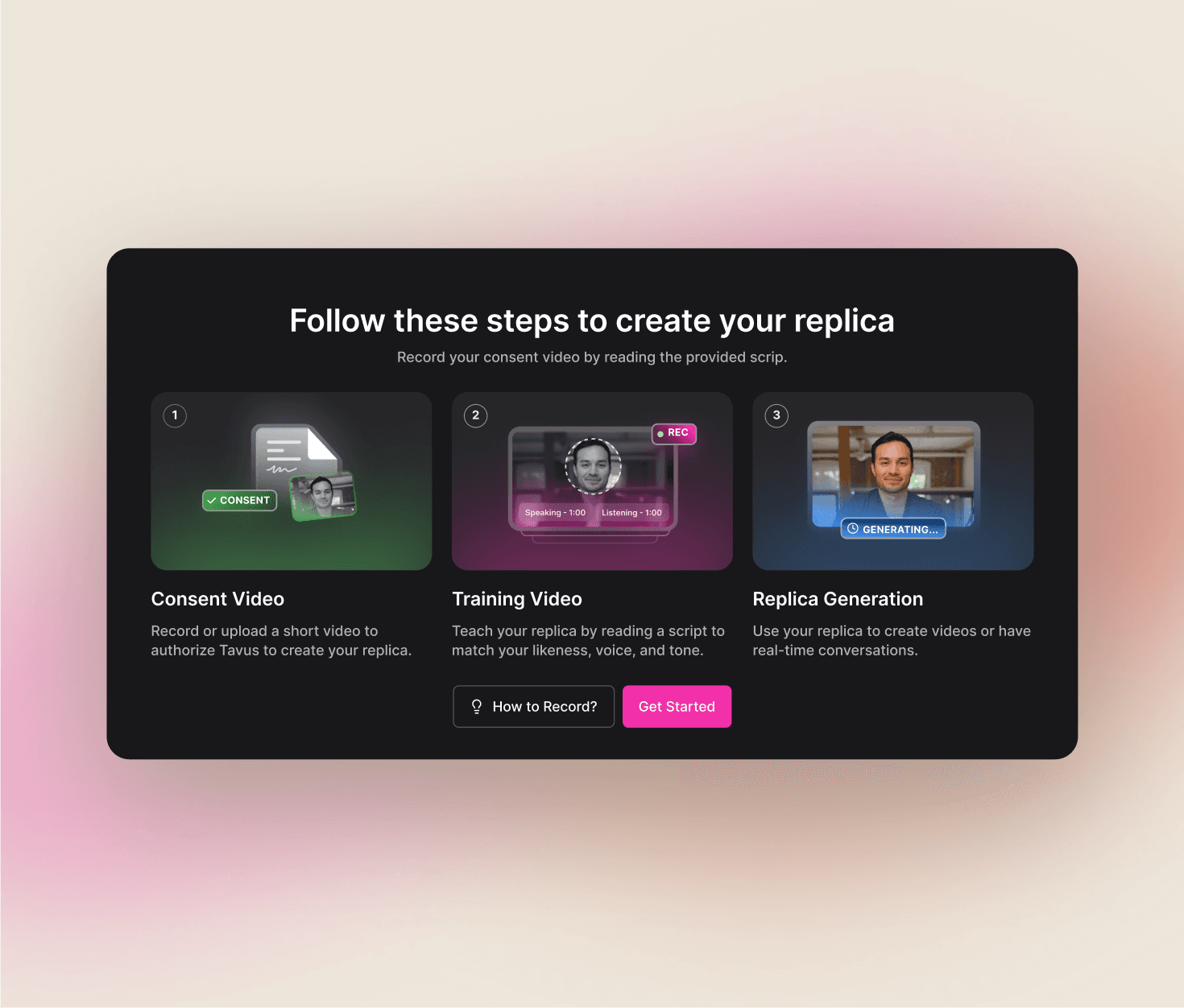
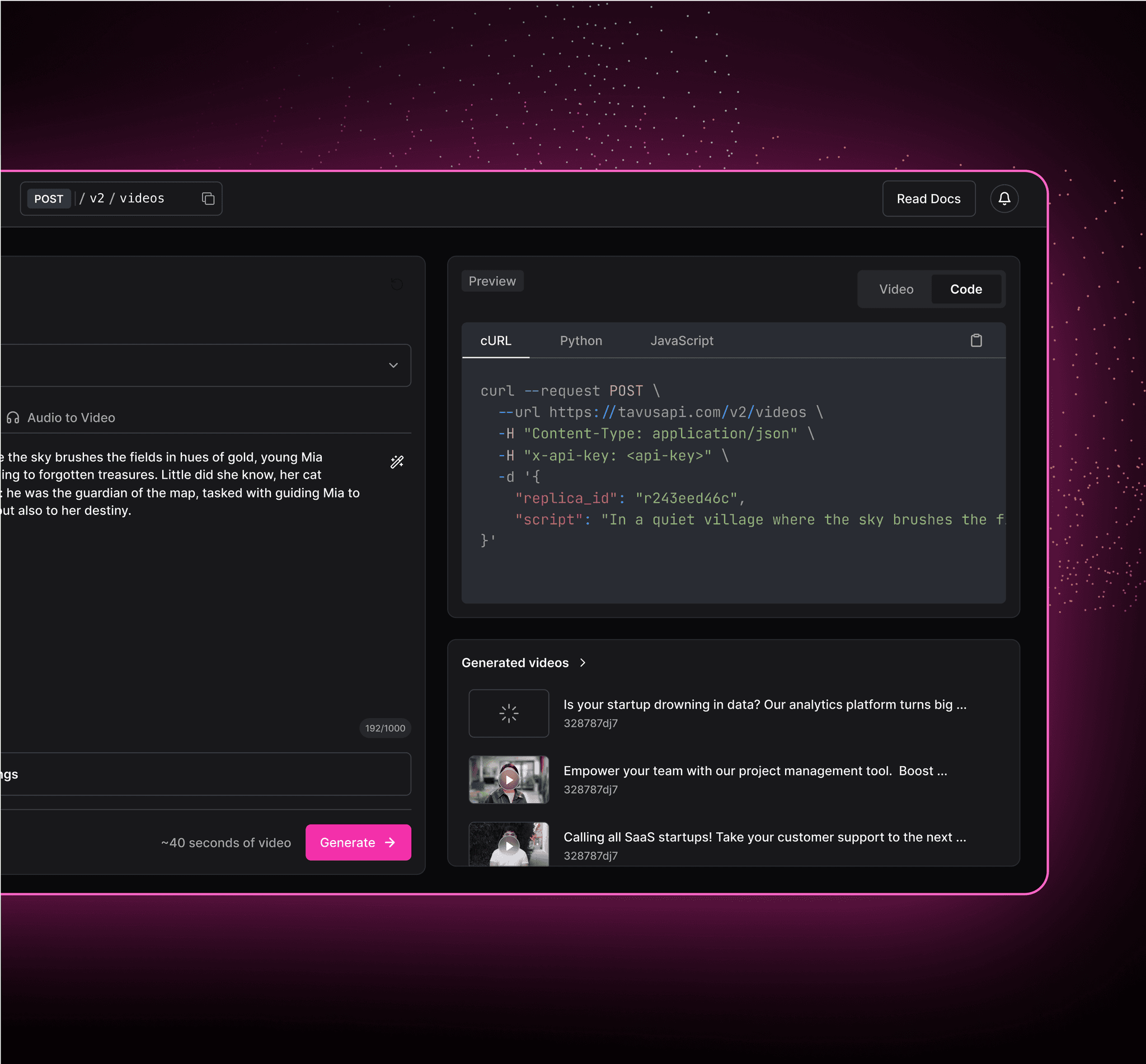
I designed the Developer Portal from scratch, restructuring navigation and introducing a lightweight playground for API testing.
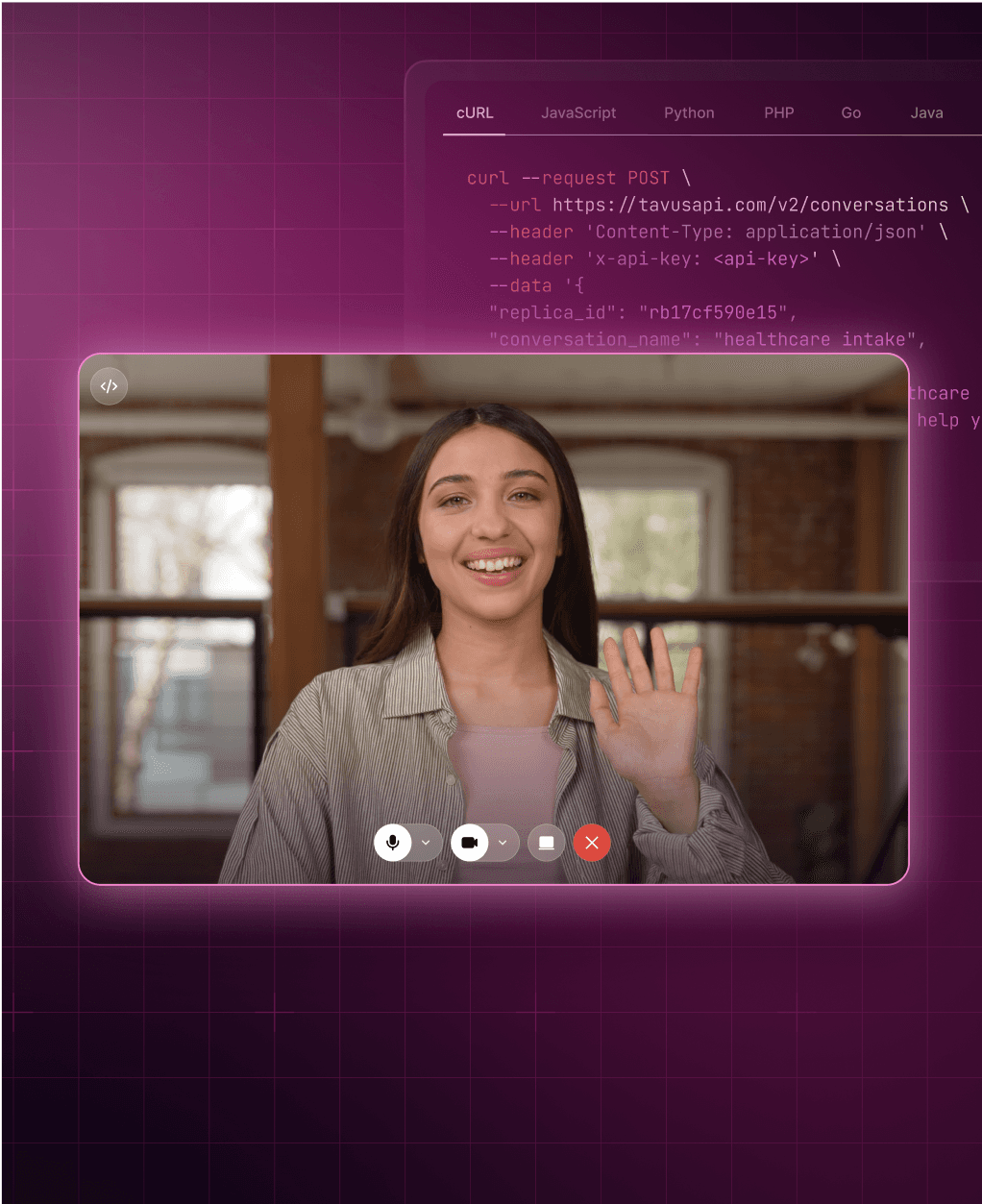
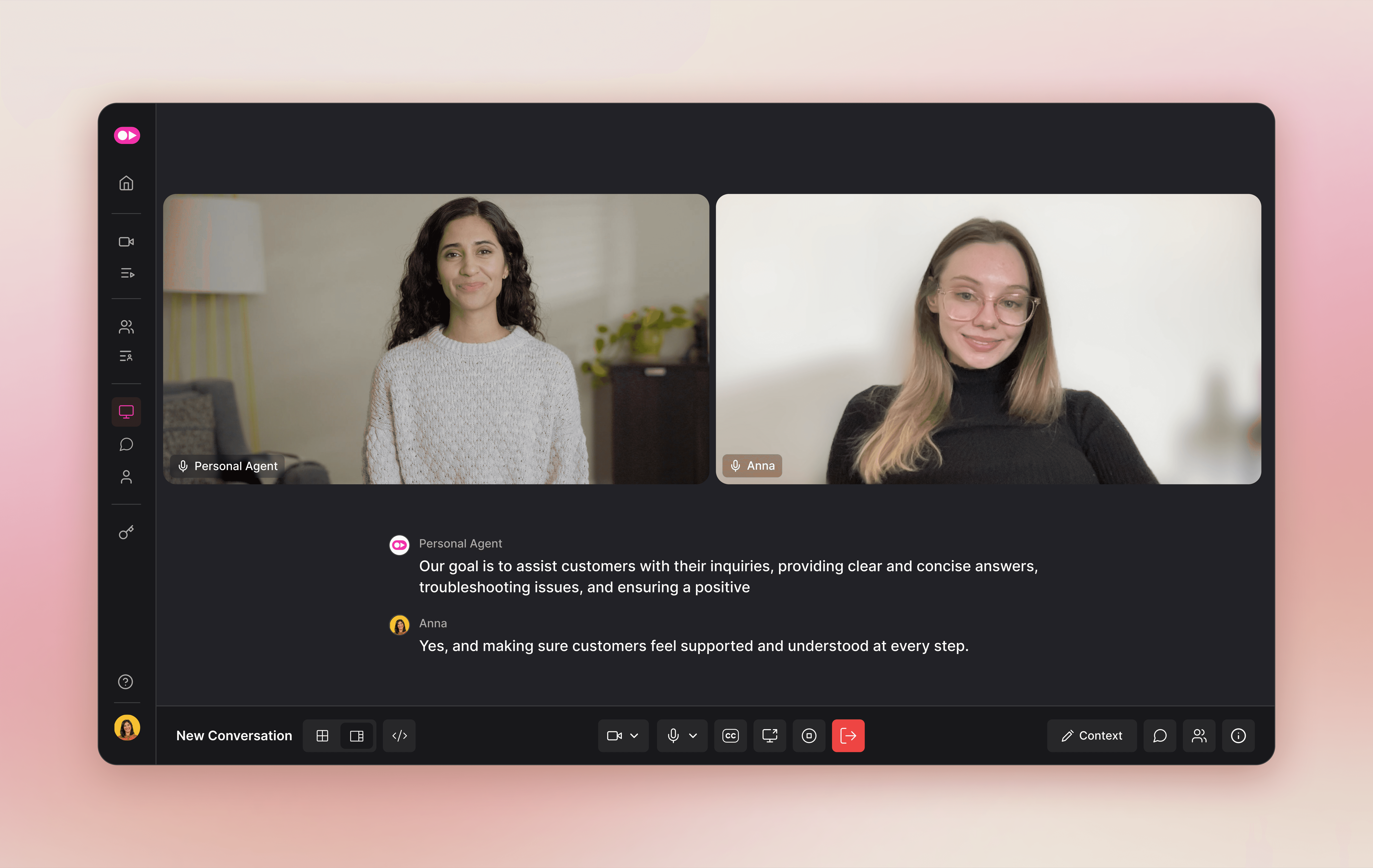
As real-time conversational video technology became available, I also led the design of the conversational video interface, enabling developers to prototype and test live video interactions directly within the platform.
This included designing interfaces for persona creation, lip-sync configuration, and conversational behavior setup — allowing developers to define how replicas would appear and respond in real-time sessions.
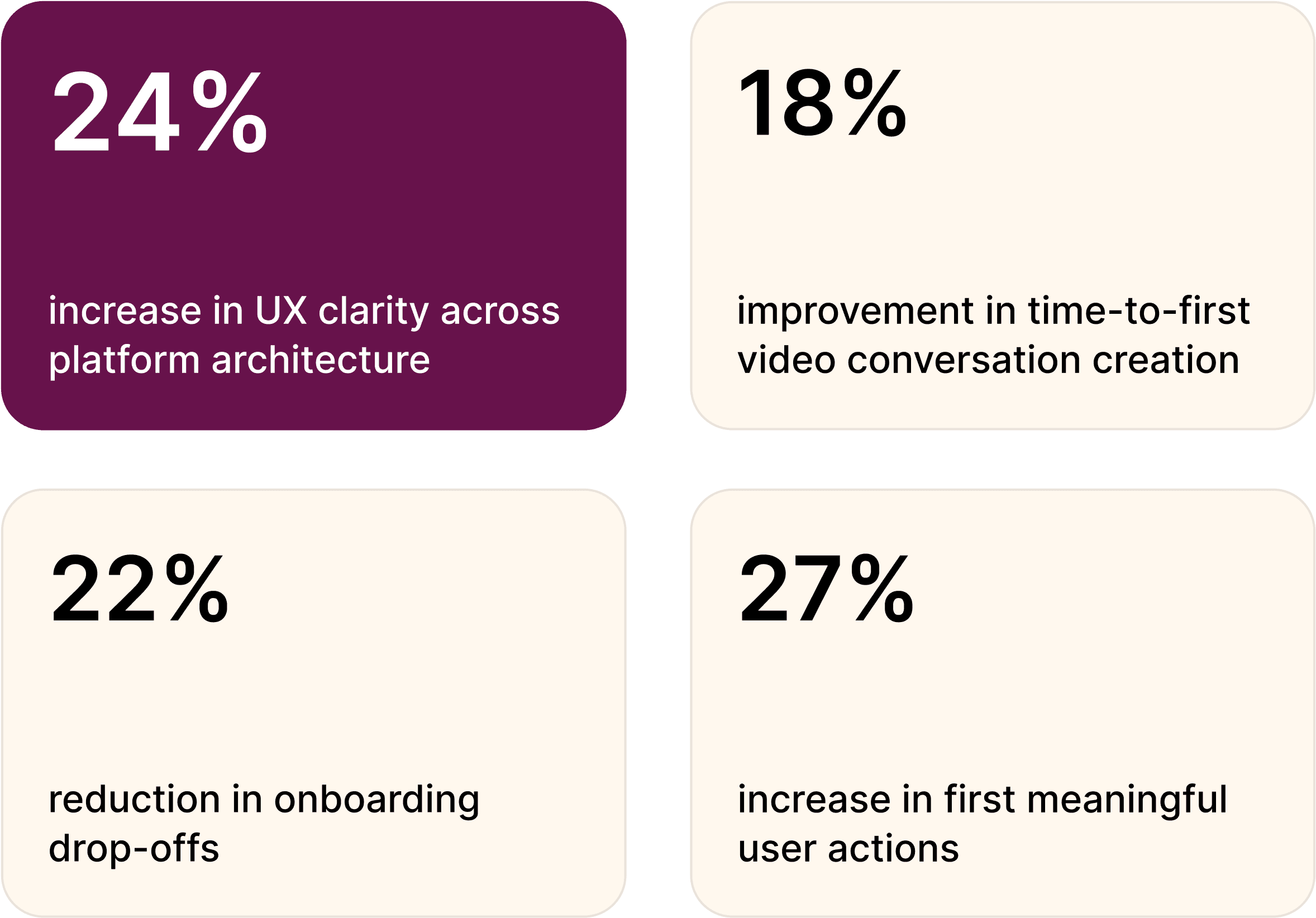
The platform became more intuitive and scalable across both asynchronous and real-time interaction use cases.
04
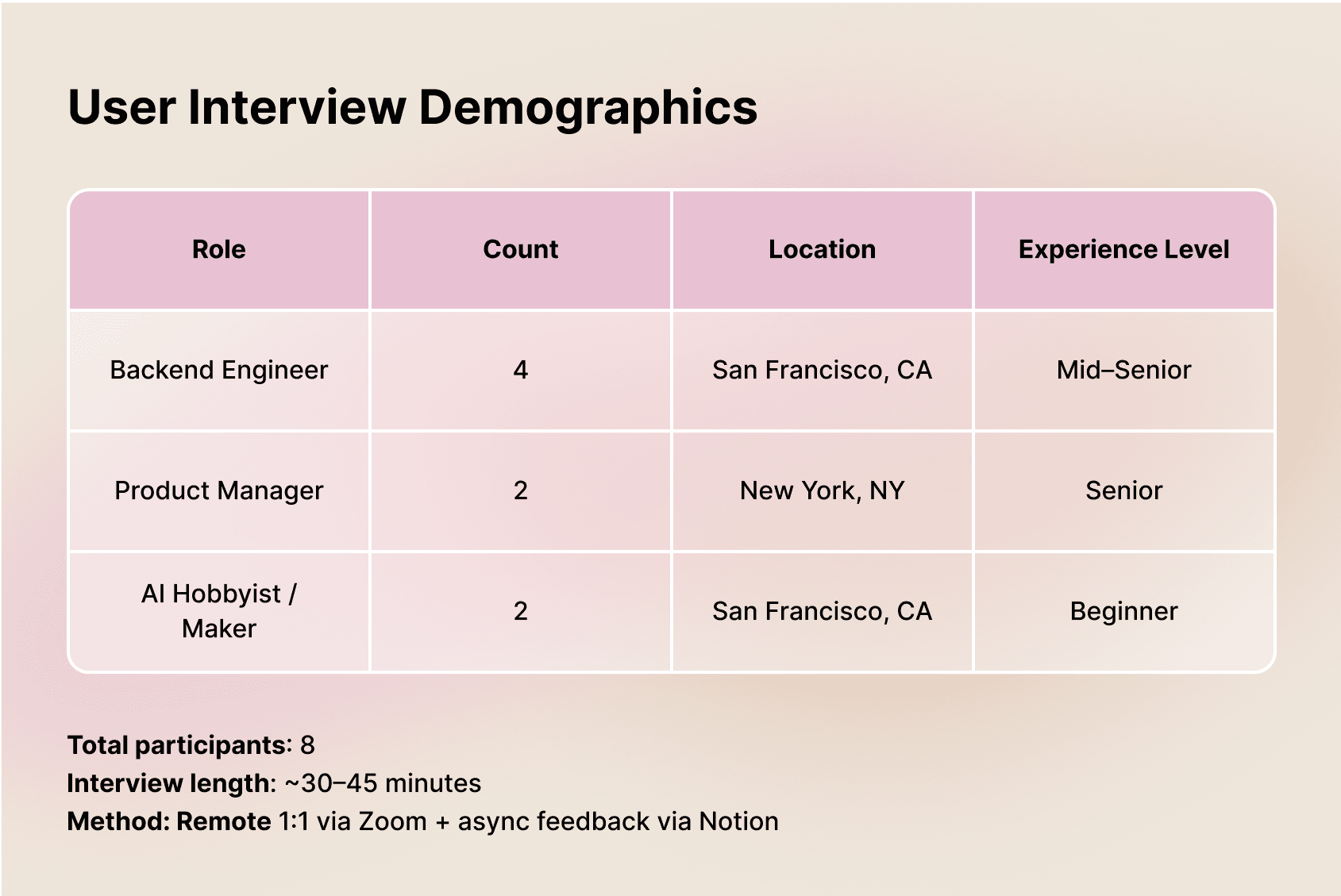
Interviews with developers and product leads helped define goals and frustrations as the platform transitioned toward conversational video experiences. Personas guided feature prioritization and interaction clarity.
Key insights:
Need for fast API testing and debugging
Desire for visual feedback on results
Preference for simple UI with advanced options
05
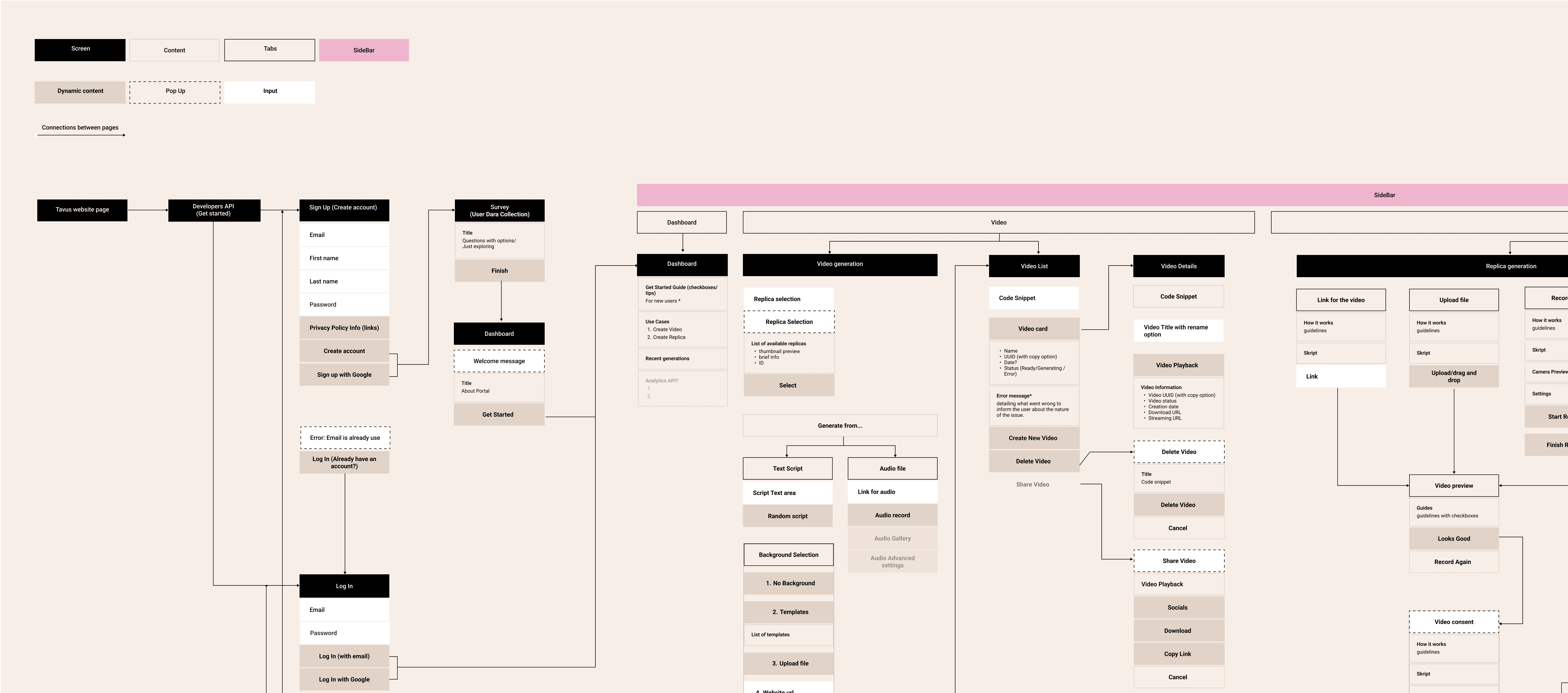
I defined the platform’s information architecture from the ground up, mapping developer workflows and structuring the portal around key API actions to support both asynchronous video generation and real-time conversational interaction flows.
06
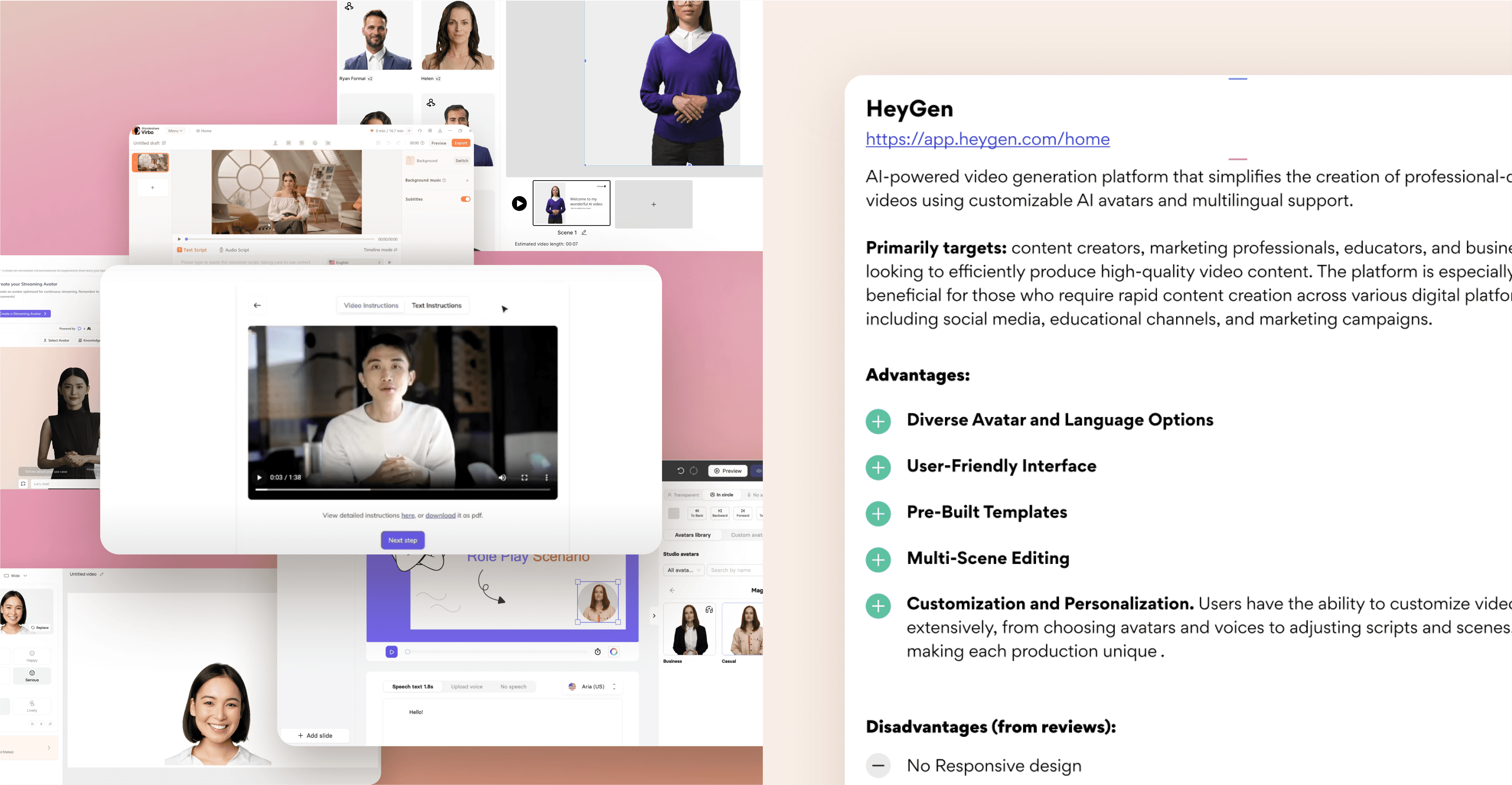
I analyzed leading developer tools and AI platforms to define best practices in onboarding, API usability, and real-time interaction design.
The goal: powerful conversational capabilities with minimal interface complexity.
07
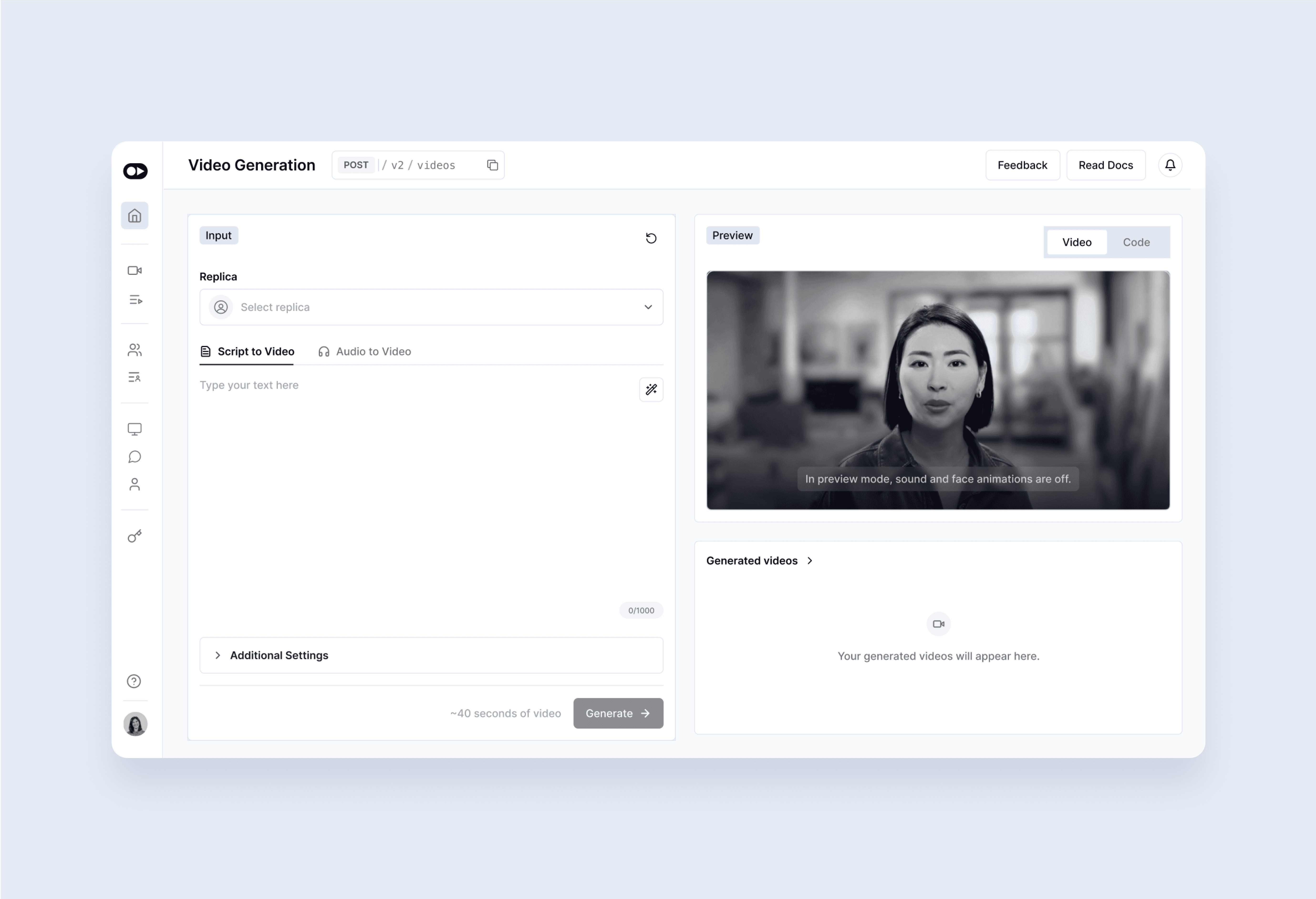
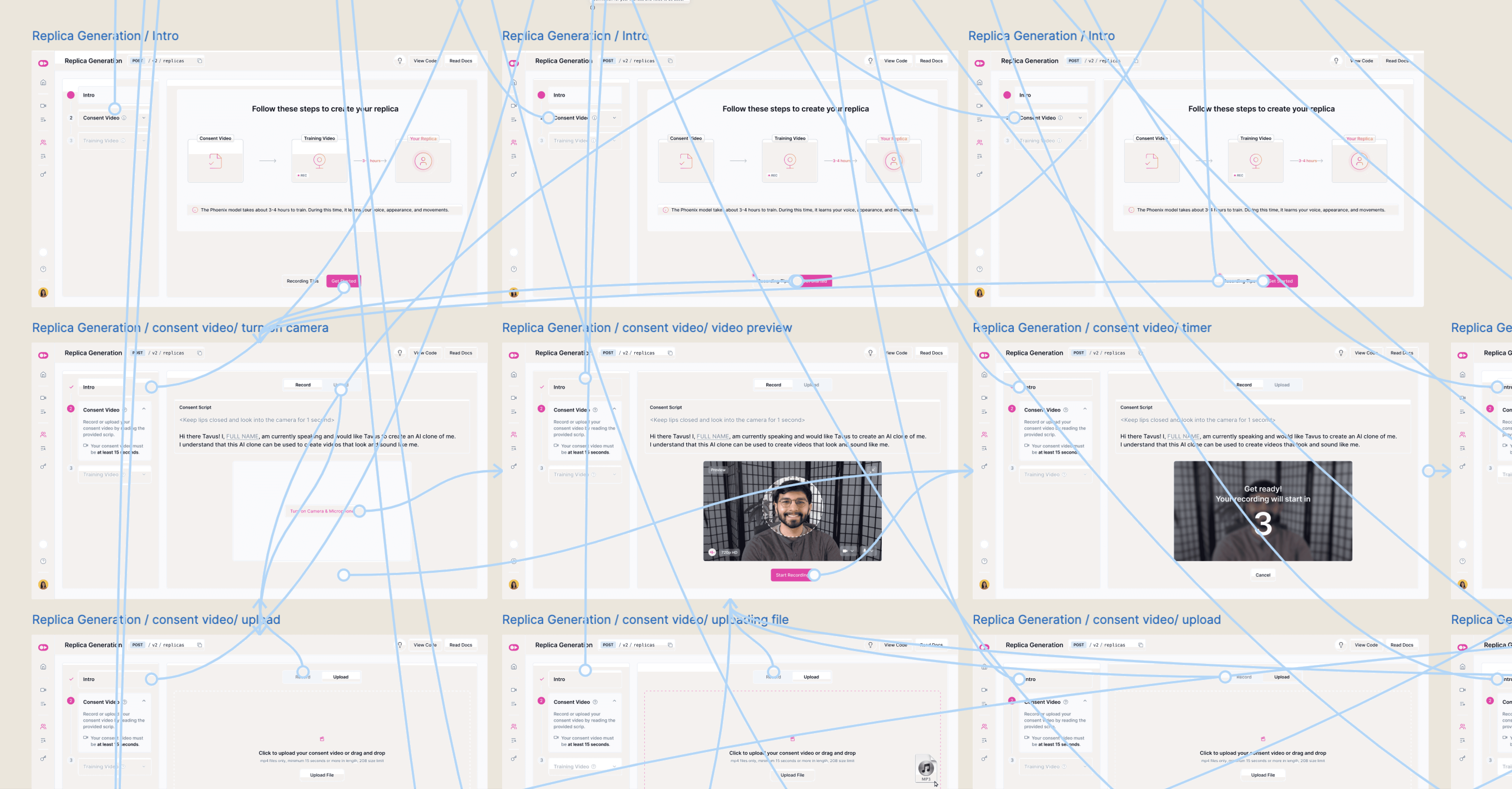
Wireframes helped test conversational interaction flows and persona setup processes.
Responsiveness and clarity became the main design principles for real-time conversational UX.
08
Interactive prototypes validated conversational logic and usability before final UI development. I also contributed to experimental demo experiences such as the AI Santa demo, showcasing real-time conversational video capabilities in applied enterprise contexts.
09
Usability sessions with engineers and early users refined both video generation and conversational workflows.
What improved:
Easier access to core features
Clearer CTAs
Better error explanations
Strong validation of the testing playground
Improved real-time interaction setup
Real feedback shaped the final product.